Seedream 5.5 通过合作伙伴节点提供
Seedream 5.5 is now available via Partner Nodes
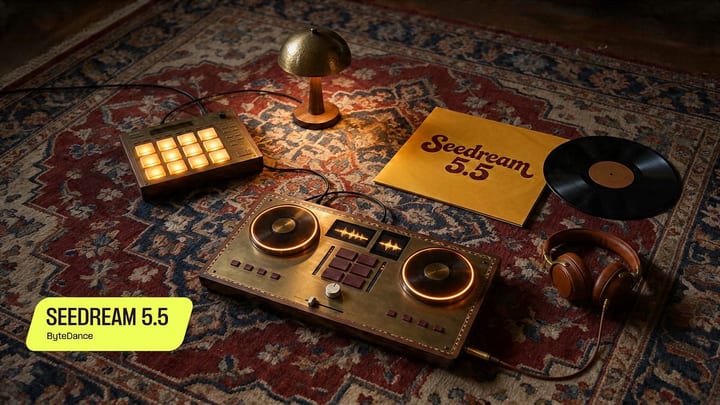
Seedream 5.5 在 ComfyUI 中通过合作伙伴节点提供,是一个多模态模型:从文本生成内容,并从图像进行编辑。该版本在透明 RGBA 生成、精确的局部多轮编辑、带可读文本和结构化布局的海报和图表生成、更逼真的肖像以及光照控制方面取得进展。在 ComfyUI 中,所有功能集成在一个节点后,可串联编辑流程并将透明输出直接发送到合成节点。
Seedream 5.5 is now available in ComfyUI via Partner Nodes. It is a multimodal model: it generates from text, and it edits from images.
This release moves in five directions. Transparent RGBA generation. Precise localized editing that holds up across multiple rounds. Posters and infographics with readable text and structured layouts. More realistic portraits. Lighting control.
In ComfyUI, all of it sits behind one node. Wire it into an existing graph, chain edits, and send transparent outputs straight to your compositing nodes.
Model Highlights
Multi-turn editing. Make a targeted change, then another, then another. Seedream 5.5 edits the region you describe and leaves the rest of the frame alone, round after round. Swap furniture in an interior, update the numbers on a watch face, rework a hairstyle. Layout, perspective, and lighting carry through.
Localized control. Change an object’s color, shape, or material without regenerating the whole image.
Transparent output in one step. Seedream 5.5 generates RGBA natively, with support for both transparent and semi-transparent backgrounds. Stickers, lettering, character cutouts, and product elements come out ready to layer. It can also pull a subject out of an existing image onto its own transparent layer.
Posters and infographics. Text rendering and structured layouts in the same pass. Multi-panel designs come out with a clear information hierarchy and coordinated color.
Photographic detail. More natural lighting, finer material rendering, and more convincing skin texture. Portraits and candid street scenes hold up at full size.
Lighting control. Direct the light in the prompt, from flash-lit snapshots to golden-hour interiors.
Getting Started
Update ComfyUI to the latest version, or open Comfy Cloud.
Sign in to your Comfy account. Partner Nodes run on credits.
Load the Seedream 5.5 template from the Templates panel or download it here
Write a prompt, attach a reference image if you are editing, and run.
As always, enjoy creating!
Thanks for reading ComfyUI Newsletter! Subscribe for free to receive new posts and support my work.
来源: Comfy Blog · blog.comfy.org